Bringing AI in without losing control of your data
This workbook is your step by step guide to assessing your AI readiness, deciding where AI should run and what it may see, testing it safely and putting it live in stages. By the end you'll have a readiness assessment, a security checklist your team can sign off and a rollout plan with your data in your accounts the whole time.






 Casa Maestri
 Kamiki


Part 1: Bringing in secure AI
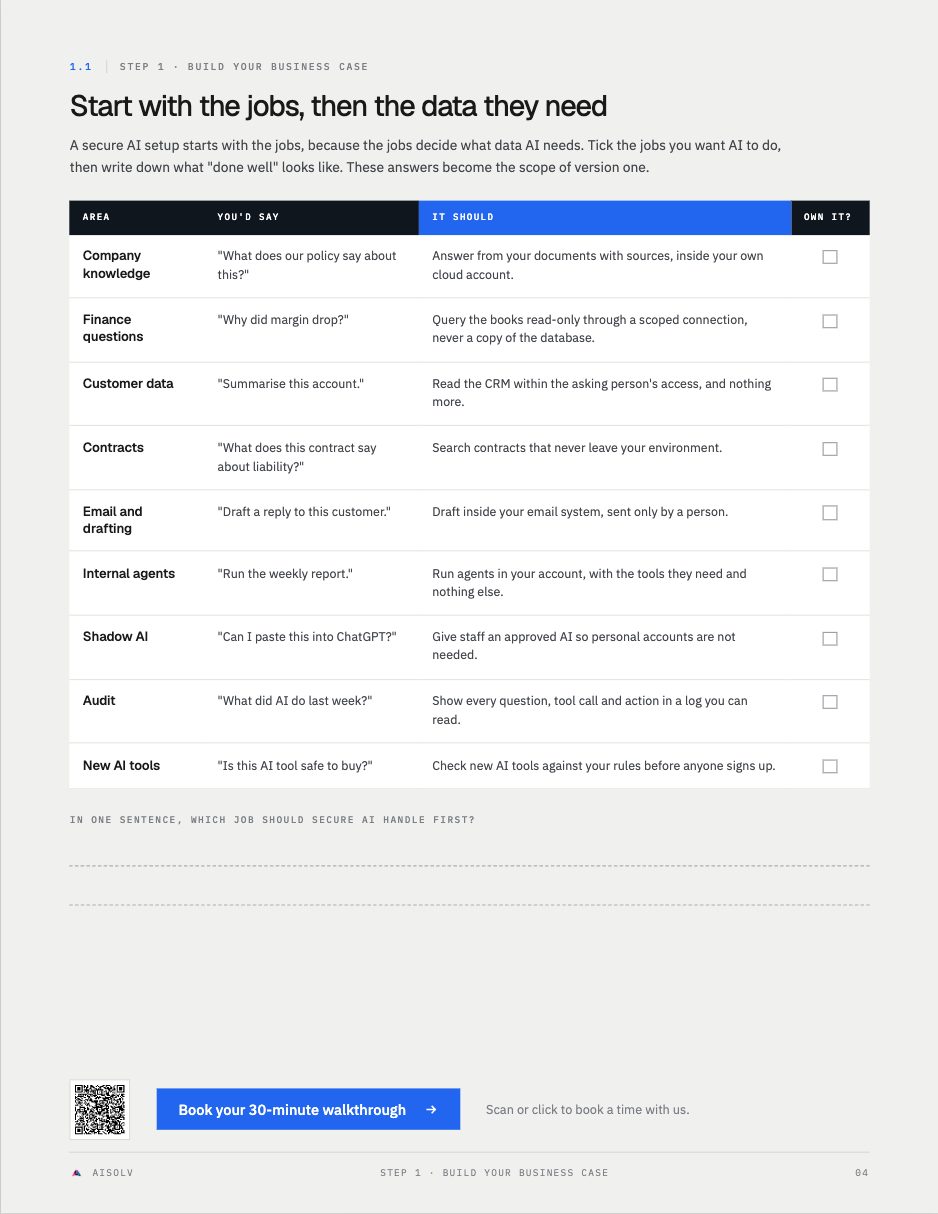
Turn "I should really get AI doing this" into a plan you can hold any builder to. Three steps, each with worksheets you fill in for your own business.
Map your AI use cases, the data each one needs, and where staff already use AI without approval.
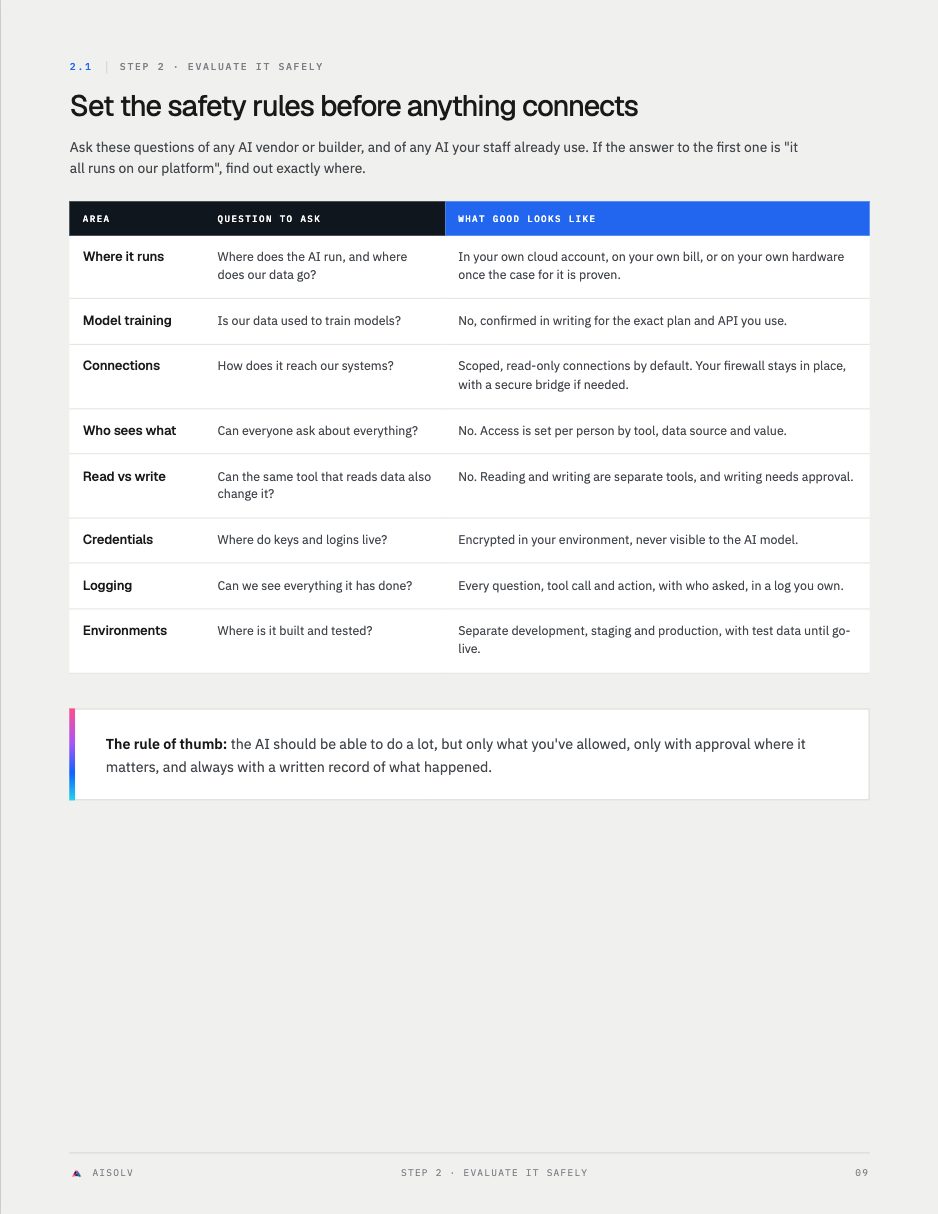
The questions to ask about where AI runs, what it sees and what it logs, then test it with requests it should refuse.
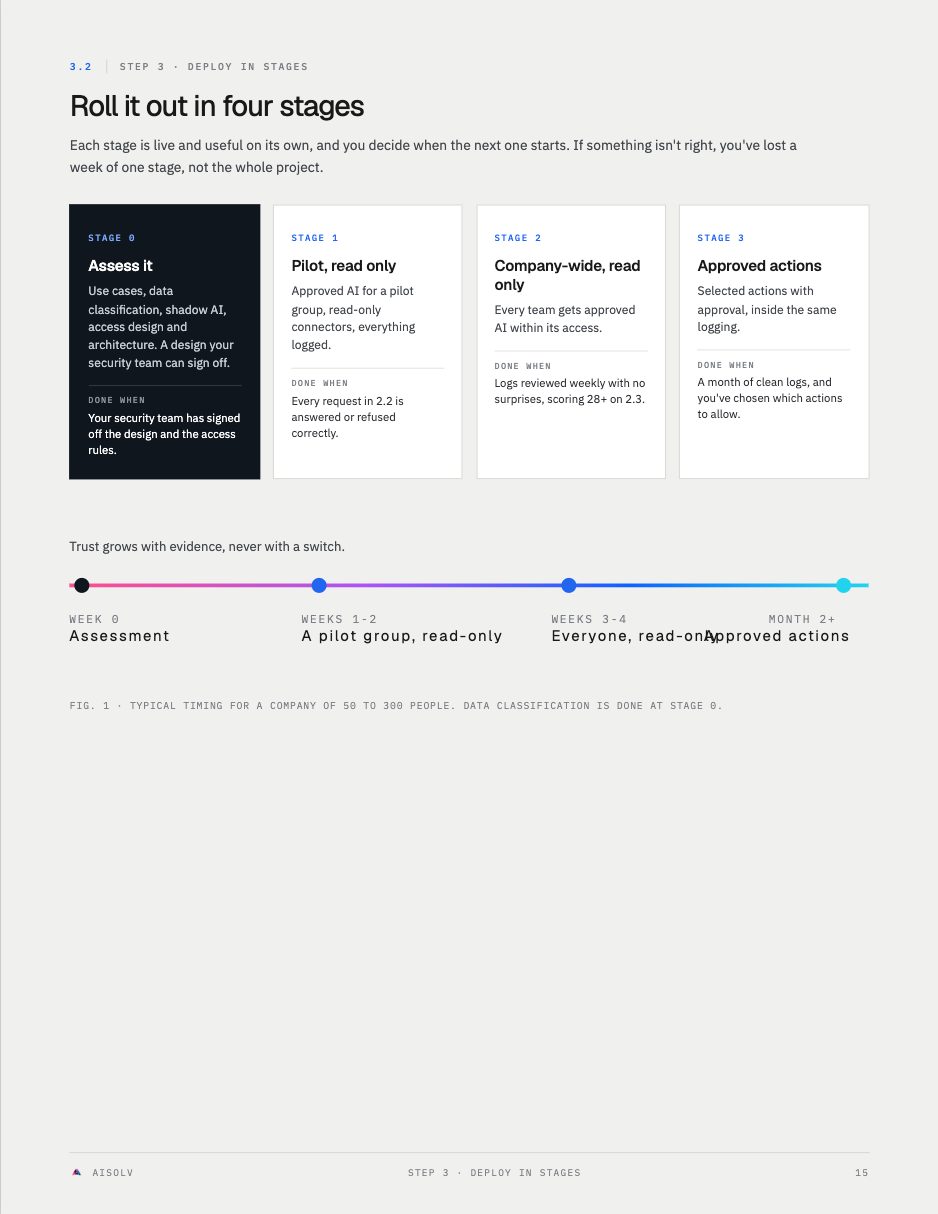
Go from a read-only pilot to approved actions in four stages, each one working before the next.
Worksheets, not theory
We talked a $50 million company out of a GPU server and into a secure setup on their own cloud account.
spent on GPU hardware before the real need was proven
read-only ERP tools passed testing
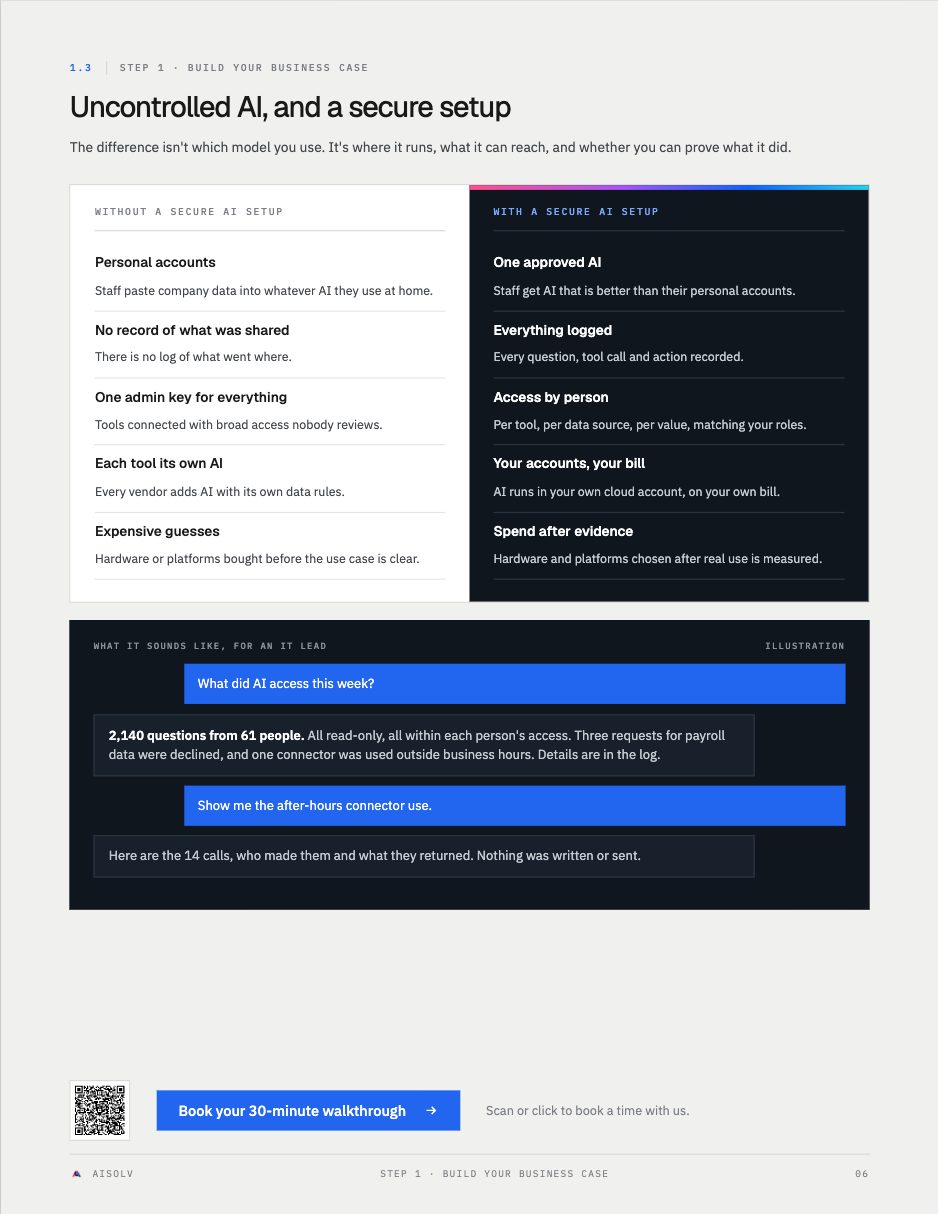
access set by tool, data source and value
Teams who want AI without losing control of their data
- Owners, CIOs and IT leads at companies doing roughly $10M to $100M who want AI without losing control of their data.
- Teams whose staff already use personal AI accounts with company data.
- Companies weighing private or on-premise AI, or self-hosted agents, against cloud AI services.
- Anyone who needs to answer "is this safe?" for a board, a customer or an auditor.