Putting AI on the ERP you already run
This workbook is your step by step guide to deciding what an AI should read and do inside your ERP, testing it safely and putting it live in stages. By the end you'll have a business case, access and approval rules, and a rollout plan, with no migration and nothing written to your books without a person.






 Casa Maestri
 Kamiki


Part 1: Putting AI on your ERP
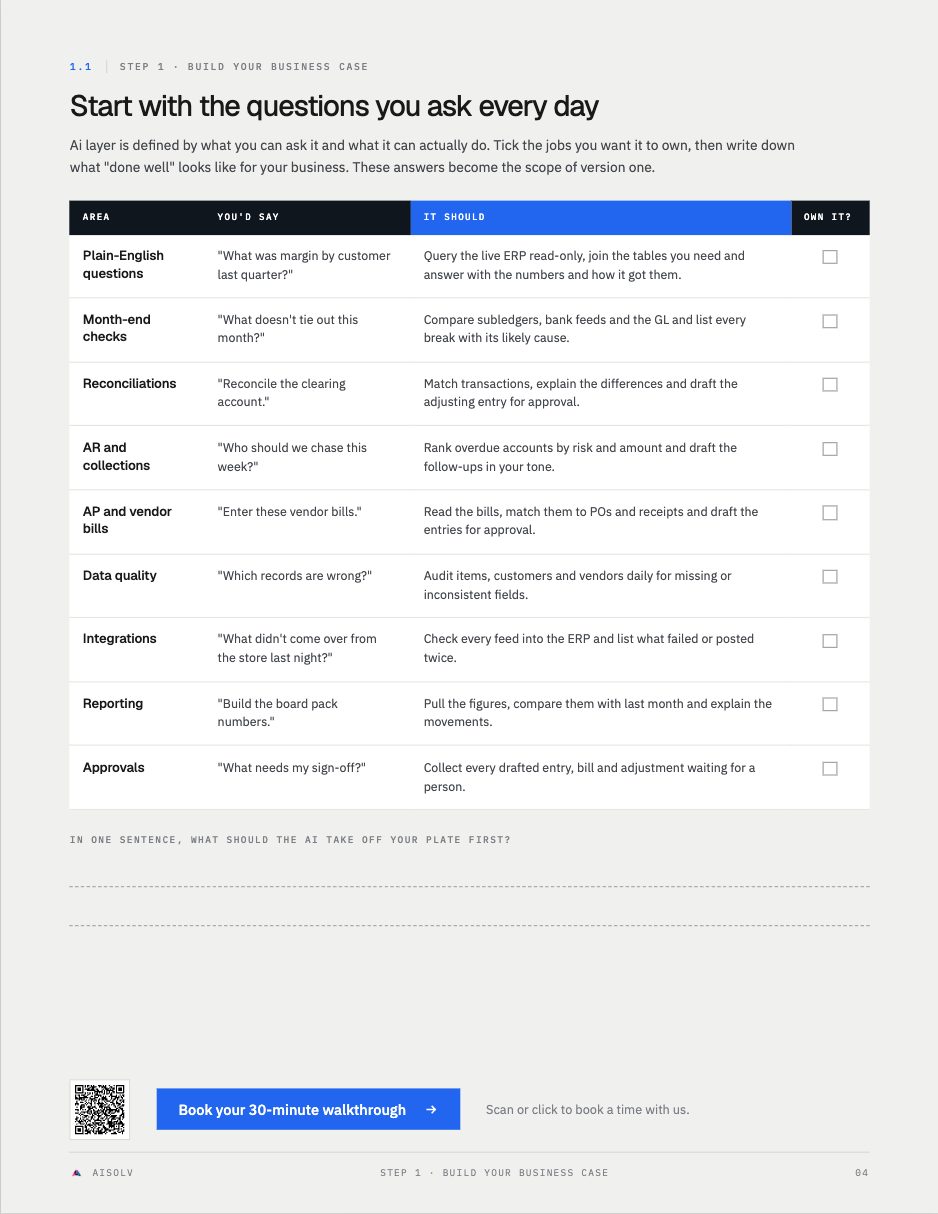
Turn "I should really get AI doing this" into a plan you can hold any builder to. Three steps, each with worksheets you fill in for your own business.
Map how much of your week goes to exports, reconciliations and reports, and what the ERP could have shown you sooner.
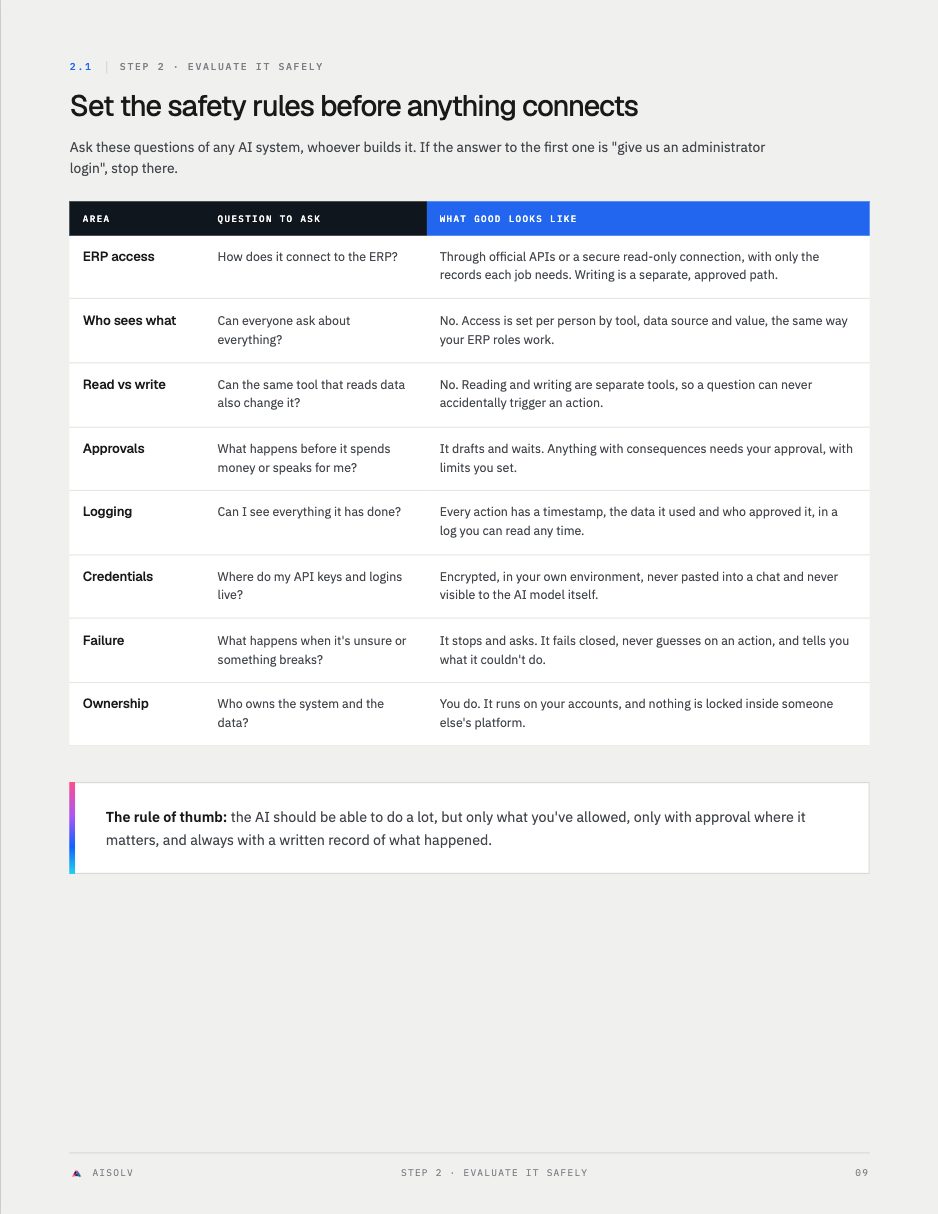
Set the access and approval rules any AI must pass before it reads or writes to your ERP, then test it on your own messiest questions.
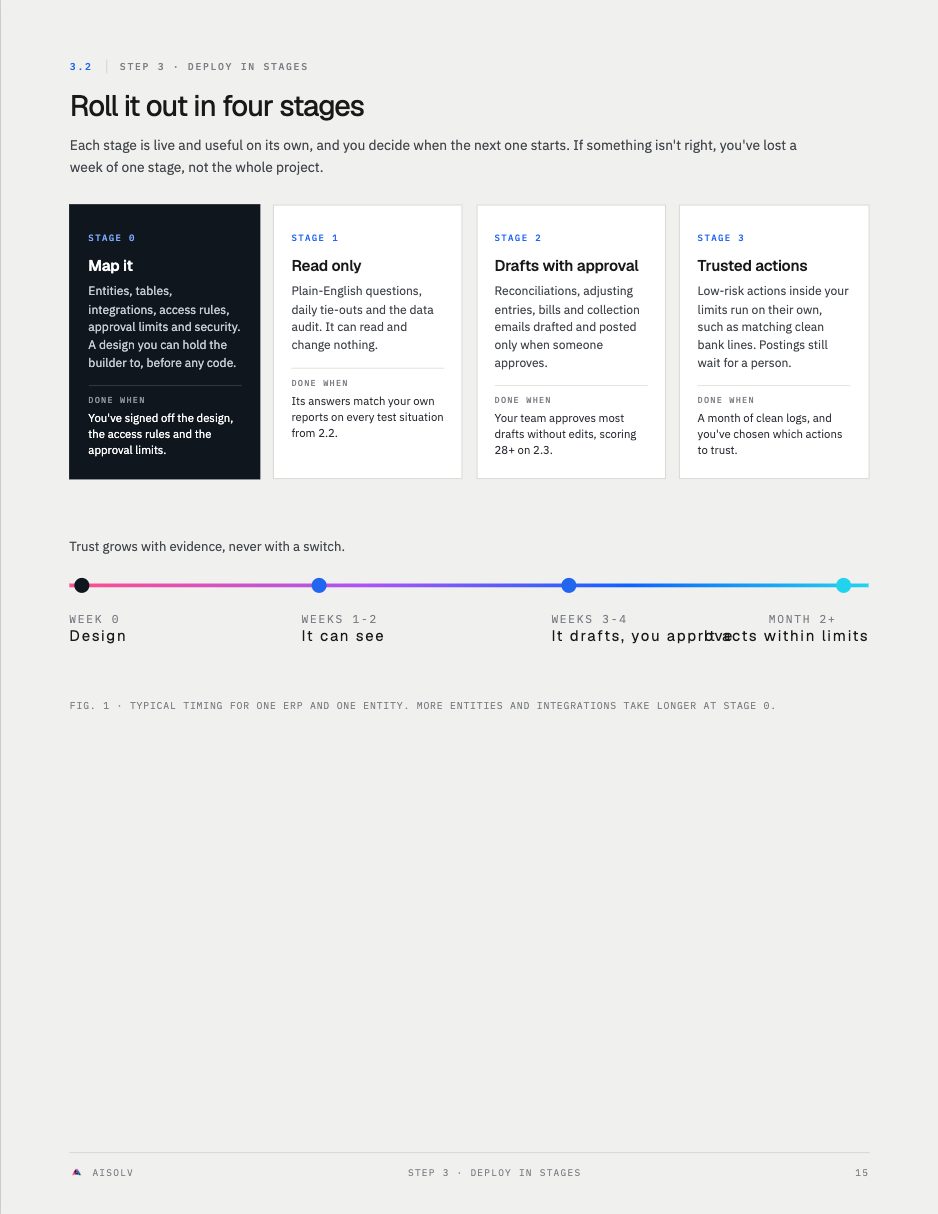
Put it live in four stages, from read-only answers to trusted actions, each one working before the next.
Worksheets, not theory
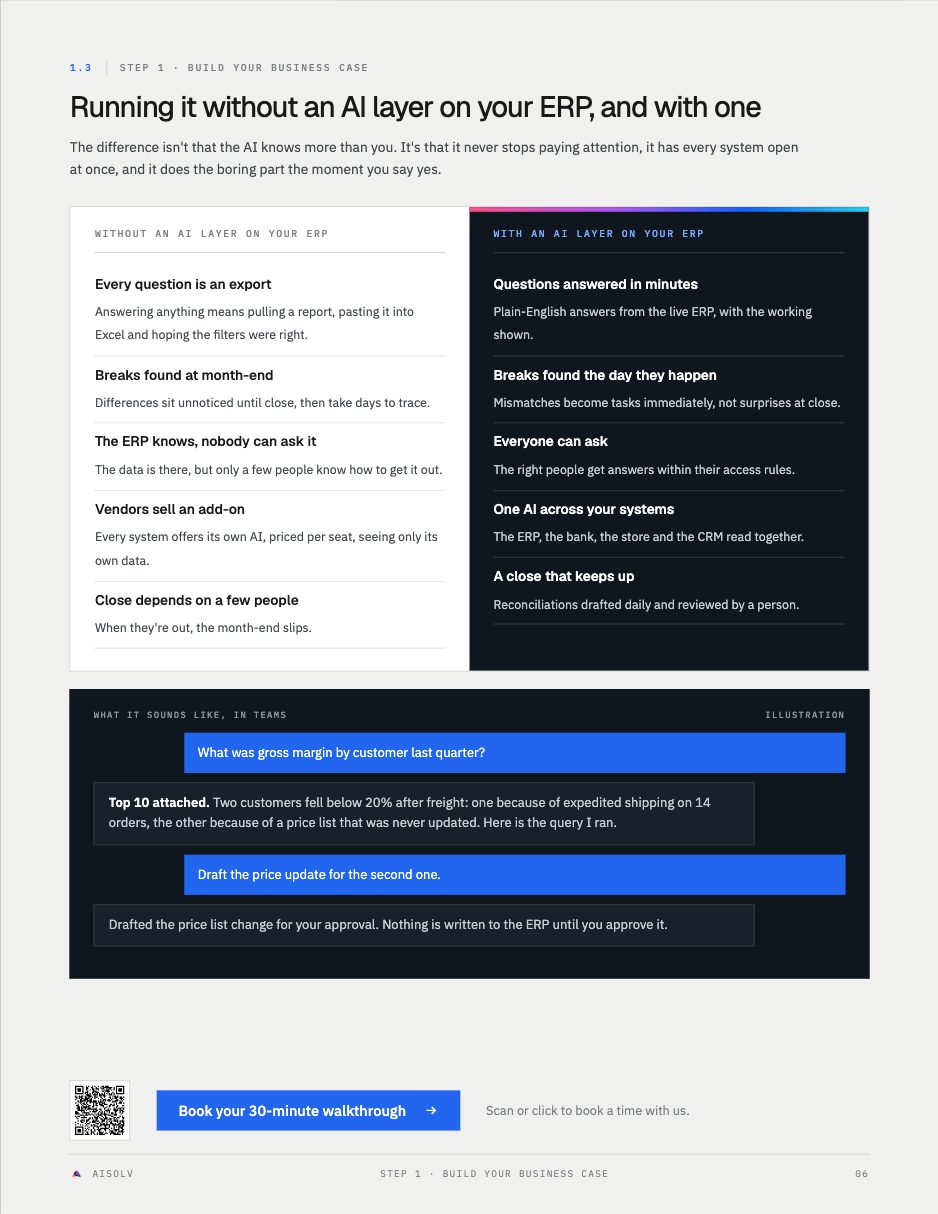
We put AI on the ERP of a $50 million B2B ecommerce company, read-only first.
read-only ERP tools passed testing
of their own reports and queries turned into read-only AI tools
to re-run a saved analysis that used to take five to ten minutes
Finance and ops leaders who want answers, not another system
- Companies running NetSuite, Sage, QuickBooks, Business Central or Acumatica, usually doing $10M to $100M.
- Finance and ops leaders who wait days for reports and run month-end out of spreadsheets.
- Teams told the answer is a new ERP, or the vendor's AI add-on, and not convinced.
- Owners who want straight answers from their own numbers without exporting anything.